

Three.js 云朵实例化雾效场景 | 三维可视化 / AI 提示词
📋 AI 提示词
prompt
1
2
3
4
5
6
7
8
9
10
11
12
13
14
15
16
17
18
19
使用 Three.js 实现云朵实例化雾效场景,具体要求:

【核心特效】
- 800 个云朵实例
- 线性雾效混合
- 深度透明度衰减
- 8000 个实例可调

【场景与光照】
- 天空渐变背景
- Canvas 生成纹理
- InstancedMesh 高性能

【交互与控制】
- GUI 面板实时调节
- 云朵数量/雾效开关
- 雾颜色/雾起点/雾终点

【技术要求】
- Three.js 版本 (ES Module)
- ShaderMaterial + InstancedMesh
- PlaneGeometry 64x64
- CanvasTexture 天空
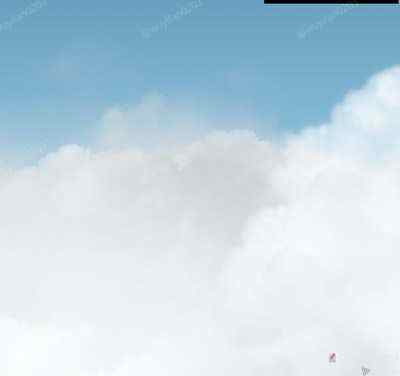
🖼️ 效果预览
🎮 案例演示
📖 效果拆解
| 层次 | 视觉效果 | 技术实现 |
|---|---|---|
| 基础 | 800 云朵 | InstancedMesh |
| 纹理 | cloud.png | TextureLoader |
| 雾效 | smoothstep 混合 | 深度计算 |
| 透明 | pow 衰减 | gl_FragCoord.z |
🔧 核心技术点
1. 实例化渲染
800 个云朵同时渲染需要高效绘制。
javascript
1
2
3
4
5
6
7
8
9
10
11
12
const mesh = new InstancedMesh(geo, mat, params.count);
for (let i = 0; i < c; i++) {
    dummy.position.set(
        createRandom(-500, 500),
        -Math.random() * Math.random() * 200 - 15,
        i
    );
    dummy.rotation.z = Math.random() * Math.PI;
    dummy.scale.setScalar(createRandom(0.5, 2));
    dummy.updateMatrix();
    mesh.setMatrixAt(i, dummy.matrix);
}
2. 线性雾效
根据相机距离混合雾颜色。
glsl
1
2
3
float depth = gl_FragCoord.z / gl_FragCoord.w;
float factor = smoothstep(fogNear, fogFar, depth);
tex.rgb = mix(tex.rgb, fogColor, factor);
3. 深度透明度
越远的云朵越透明。
glsl
1
tex.a *= pow(gl_FragCoord.z, 20.0);
4. 天空渐变
用 Canvas 生成渐变背景。
javascript
1
2
3
4
5
const grad = ctx.createLinearGradient(0, 0, 0, bgCanvas.height);
grad.addColorStop(0, '#1e4877');
grad.addColorStop(1, '#4584b4');
ctx.fillStyle = grad;
scene.background = new CanvasTexture(bgCanvas);
💡 调试与优化
| 问题类型 | 表现形式 | 解决方案 |
|---|---|---|
| 性能问题 | 帧率低 | 减少实例数量 |
| 云朵重叠 | 层次感差 | 调整 z 轴分布 |
| 雾效突兀 | 过渡不自然 | 增大雾范围 |
🚀 扩展思路
| 变体效果 | 核心改动 | 难度 |
|---|---|---|
| 飞行视角 | 相机动画 | ⭐ |
| 多层云 | 添加不同层 | ⭐⭐ |
| 体积云 | Raymarching | ⭐⭐⭐ |
| 乌云效果 | 深色纹理 | ⭐ |
| 云朵阴影 | 添加阴影 | ⭐⭐ |
本文档由 ThreeLab 编辑整理,如需转载,请注明出处。
 京公网安备 11010502038735号
💬 评论区
评论功能即将上线,敬请期待!