Three.js 模型表面采样粒子效果
提示词
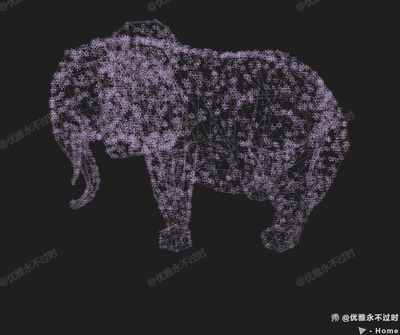
使用 Three.js 的 MeshSurfaceSampler 在模型表面采样粒子,粒子逐渐出现在模型表面。
效果描述
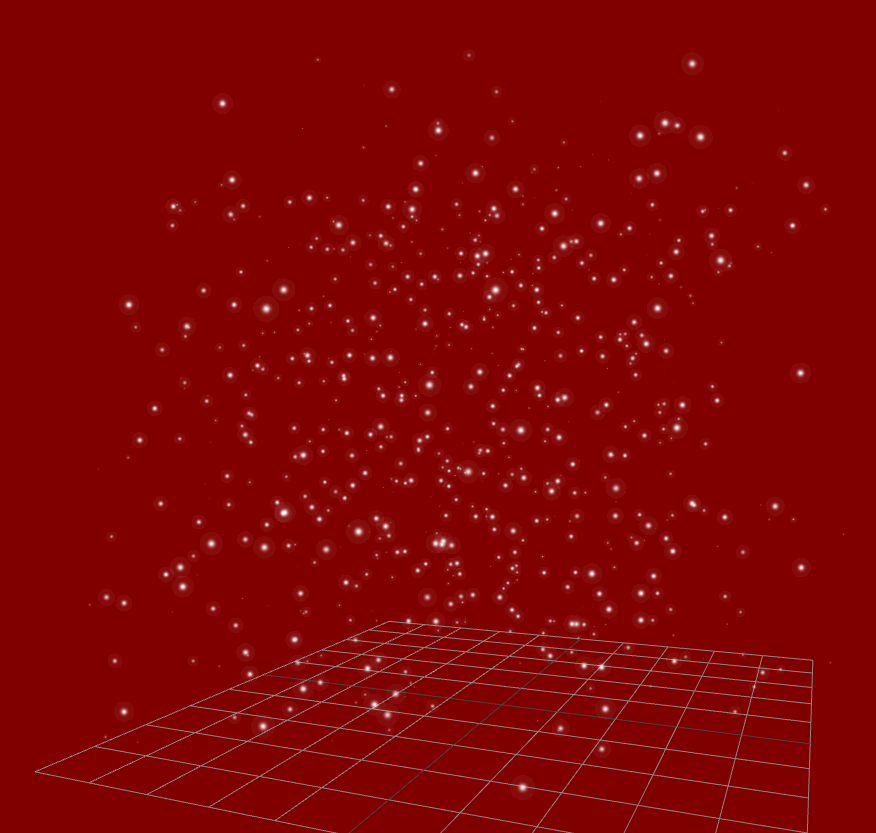
这是一个展示如何在模型表面采样粒子的示例,粒子逐渐出现在模型表面。
效果特性
- 模型表面采样:使用 MeshSurfaceSampler 在模型表面采样
- 逐渐出现:粒子逐渐出现在模型表面
- OBJ 模型:加载 OBJ 模型
- 线框显示:模型以线框方式显示
- 紫色粒子:使用紫色粒子
- 纹理贴图:使用雪花纹理
核心参数
| 参数 |
值 |
说明 |
| 粒子数量 |
10000 |
粒子总数 |
| 粒子大小 |
6 |
粒子大小 |
| 粒子颜色 |
#a58fb5 |
紫色 |
| 模型颜色 |
#a58fb5 |
模型颜色 |
| 模型透明度 |
0.2 |
模型透明度 |
核心代码解析
加载模型
new OBJLoader().load(
    FILE_HOST + 'files/model/z2586300277.obj',
    obj => {
        mesh = obj.children[0];
        mesh.material = new THREE.MeshBasicMaterial({
            wireframe: true,
            color: 0xa58fb5,
            transparent: true,
            opacity: 0.2
        });
        scene.add(obj);
        sampler = new MeshSurfaceSampler(mesh).build();
        renderer.setAnimationLoop(render);
    }
);
创建粒子
const vertices = [];
const colors = [];
const sparklesGeometry = new THREE.BufferGeometry();
const sparklesMaterial = new THREE.PointsMaterial({
    size: 6,
    alphaTest: 0.5,
    map: new THREE.TextureLoader().load(FILE_HOST + `/images/channels/snow.png`),
    vertexColors: true
});
const points = new THREE.Points(sparklesGeometry, sparklesMaterial);
scene.add(points);
采样粒子
const tempPosition = new THREE.Vector3();

function render() {
    if (vertices.length < 10000) {
        sampler.sample(tempPosition);
        vertices.push(tempPosition.x, tempPosition.y, tempPosition.z);
        sparklesGeometry.setAttribute("position", new THREE.Float32BufferAttribute(vertices, 3));

        const color = new THREE.Color(0xa58fb5);
        colors.push(color.r, color.g, color.b);
        sparklesGeometry.setAttribute("color", new THREE.Float32BufferAttribute(colors, 3));
    }

    controls.update();
    renderer.render(scene, camera);
}
技术亮点
- 模型表面采样:使用 MeshSurfaceSampler 在模型表面采样
- 逐渐出现:粒子逐渐出现在模型表面
- OBJ 模型:加载 OBJ 模型
- 线框显示:模型以线框方式显示
- 紫色粒子:使用紫色粒子
调试技巧
- 粒子数量:调整粒子数量测试性能
- 粒子大小:调整粒子大小
- 粒子颜色:调整粒子颜色
- 模型透明度:调整模型透明度
- 采样速度:调整采样速度
扩展方向
- 多种模型:使用不同的模型
- 粒子动画:添加粒子动画
- 颜色变化:添加颜色变化
- 交互控制:添加交互控制
- 多层粒子:创建多层粒子效果
本文档由 ThreeLab 编辑整理,如需转载,请注明出处。




 京公网安备 11010502038735号
💬 评论区
评论功能即将上线,敬请期待!