动态噪声形状动画
🎯 提示词
使用 Three.js 实现【动态噪声形状动画】,具体要求:
【核心特效】
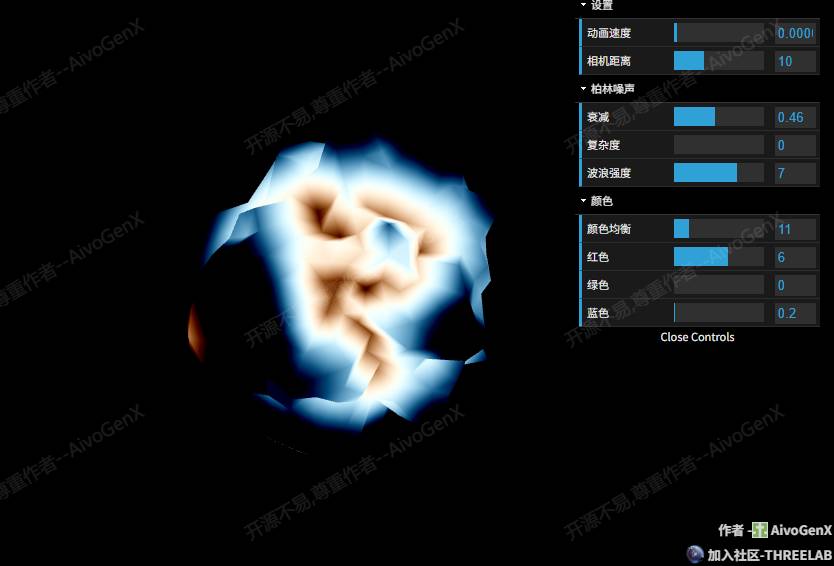
- 噪声驱动的顶点位移变形
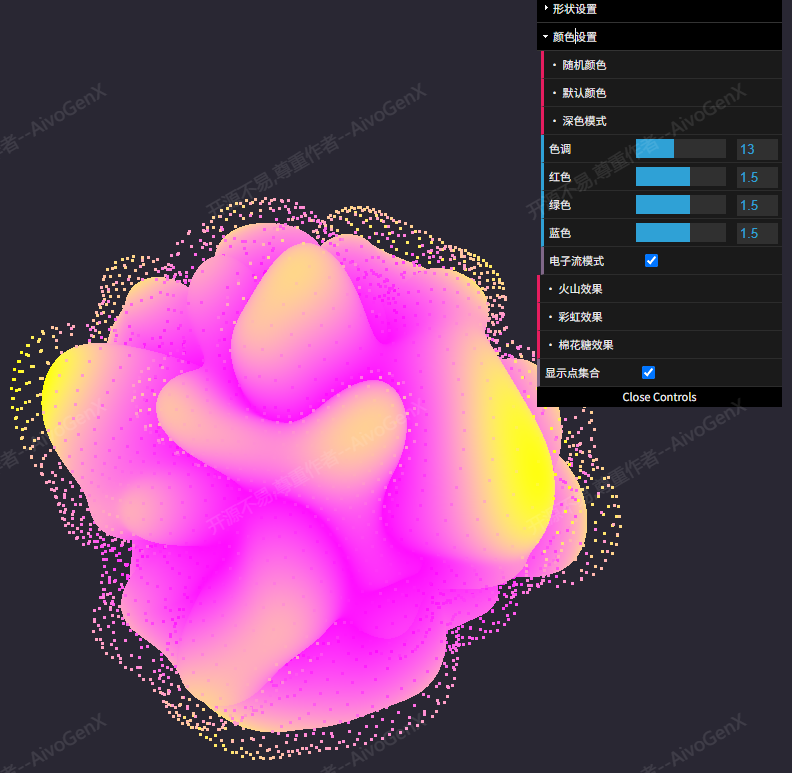
- 多种预设效果(火山、云朵、彩虹)
- 形状和颜色独立控制
【场景与光照】
【交互与控制】
- GUI 控制面板调整参数
- 预设效果一键切换
- OrbitControls 视角控制
【技术要求】
- Three.js 版本
- GSAP 动画库
- lil-gui 控制面板
- 自定义 ShaderMaterial
📖 效果拆解
| 层次 |
视觉效果 |
技术实现 |
| 基础 |
二十面体网格 |
IcosahedronGeometry |
| 核心特效 |
噪声变形动画 |
柏林噪声 + 湍流函数 |
| 增强细节 |
点集合叠加 |
Points + 相同着色器 |
| 交互控制 |
预设效果切换 |
GSAP 参数过渡 |
🔧 核心技术点
1. 噪声变形计算
在顶点着色器中应用噪声位移:
void main() {
vUv = uv;
noise = (2.0 * -waves) * turbulence(decay * abs(normal + time));
qnoise = (0.3 * -eqcolor) * turbulence(decay * abs(normal + time));
float b = pnoise(complex * position + vec3((decay * 2.0) * time), vec3(100.0));
displacement = -atan(noise) + tan(b * displace);
vec3 newPosition = position + (normal * displacement);
gl_Position = projectionMatrix * modelViewMatrix * vec4(newPosition, abs(size));
}
2. 预设效果系统
使用 GSAP 实现参数平滑过渡:
1
2
3
4
5
6
7
8
9
10
11
12
13
14
15
16
17
18
19
20
21
22
23
24
25
26
27
28
29
volcano: function () {
this.perlin.redhell = false;
gsap.to(this.perlin, 1, {
size: 0.7,
waves: 0.6,
complex: 1.0,
displace: 0.3,
eqcolor: 9.0,
rcolor: 0.85,
gcolor: 0.05,
bcolor: 0.32,
});
},
cloud: function () {
this.perlin.redhell = true;
gsap.to(this.perlin, 1, {
size: 1.0,
waves: 20.0,
complex: 0.1,
displace: 0.1,
eqcolor: 4.0,
rcolor: 1.5,
gcolor: 0.7,
bcolor: 1.5,
});
}
3. 双模式渲染
同时渲染网格和点集合:
const geometry = new THREE.IcosahedronGeometry(2, 60);
const wireframeGeometry = new THREE.IcosahedronGeometry(2.3, 20);
this.shape = new THREE.Mesh(geometry, mat);
this.point = new THREE.Points(wireframeGeometry, mat);
shapeGroup.add(this.point);
shapeGroup.add(this.shape);
💡 调试与优化
| 问题类型 |
表现形式 |
解决方案 |
| 着色器报错 |
变量未定义 |
检查 uniform 声明和传递 |
| 性能问题 |
帧率下降 |
降低几何体细分级别 |
| 颜色异常 |
颜色值溢出 |
使用 clamp 或 normalize 限制 |
| 预设切换卡顿 |
参数过渡不平滑 |
增加 GSAP 过渡时间 |
🚀 扩展思路
| 变体效果 |
核心改动 |
难度 |
| 纹理映射 |
添加纹理采样并与噪声混合 |
⭐⭐ |
| 环境贴图 |
使用 CubeTexture 添加反射 |
⭐⭐⭐ |
| 多重几何体 |
同时渲染多个不同形状 |
⭐⭐ |
| 音频响应 |
绑定音频频率到噪声参数 |
⭐⭐⭐ |
本文档由 ThreeLab 编辑整理,如需转载,请注明出处。






 京公网安备 11010502038735号
💬 评论区
评论功能即将上线,敬请期待!