Three.js 线段测量
提示词
使用 Three.js 创建线段测量效果,使用 TransformControls 和 Raycaster 实现线段测量功能。
效果描述
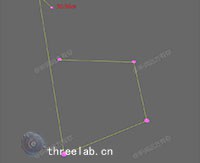
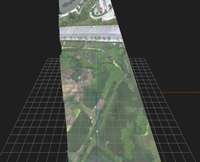
这是一个展示如何创建线段测量效果的示例,使用 TransformControls 和 Raycaster 实现线段测量功能。
效果特性
- 线段测量:创建线段测量
- TransformControls:使用 TransformControls
- Raycaster:使用 Raycaster
- 距离计算:计算线段距离
- 标记点:显示标记点
- 距离显示:显示距离信息
核心参数
| 参数 |
值 |
说明 |
| 标记点数量 |
可变 |
标记点数量 |
| 线段颜色 |
可变 |
线段颜色 |
| 标记点大小 |
可变 |
标记点大小 |
| 距离单位 |
px |
距离单位 |
| 网格大小 |
40 |
网格大小 |
核心代码解析
坐标转换
const worldToScreenPosition = (pos, camera) => {
    const worldVector = new THREE.Vector3(pos.x, pos.y, pos.z);
    const standardVector = worldVector.project(camera);
    const widthHalf = window.innerWidth / 2;
    const heightHalf = window.innerHeight / 2;
    return {
        x: Math.round(standardVector.x * widthHalf + widthHalf),
        y: Math.round(-standardVector.y * heightHalf + heightHalf),
        z: 1,
    };
}
创建标记点
function createMarker(position) {
    const geometry = new THREE.SphereGeometry(0.2, 16, 16);
    const material = new THREE.MeshBasicMaterial({ color: 0xff0000 });
    const marker = new THREE.Mesh(geometry, material);
    marker.position.copy(position);
    return marker;
}
创建线段
function createLine(point1, point2) {
    const points = [point1, point2];
    const geometry = new THREE.BufferGeometry().setFromPoints(points);
    const material = new THREE.LineBasicMaterial({ color: 0x0000ff });
    const line = new THREE.Line(geometry, material);
    return line;
}
创建距离标签
1
2
3
4
5
6
7
8
9
10
11
12
13
14
15
16
17
18
function createDistanceLabel(point1, point2, distance) {
    const midPoint = new THREE.Vector3().addVectors(point1, point2).multiplyScalar(0.5);
    const screenPos = worldToScreenPosition(midPoint, camera);

    const label = document.createElement('div');
    label.className = 'distance-label';
    label.style.position = 'absolute';
    label.style.left = screenPos.x + 'px';
    label.style.top = screenPos.y + 'px';
    label.style.color = '#000';
    label.style.backgroundColor = 'rgba(255, 255, 255, 0.8)';
    label.style.padding = '5px 10px';
    label.style.borderRadius = '5px';
    label.textContent = distance.toFixed(2) + ' px';

    document.body.appendChild(label);
    return label;
}
鼠标点击事件
1
2
3
4
5
6
7
8
9
10
11
12
13
14
15
16
17
18
19
20
21
22
23
24
25
26
27
28
window.addEventListener('click', (event) => {
    mouse.x = (event.clientX / window.innerWidth) * 2 - 1;
    mouse.y = -(event.clientY / window.innerHeight) * 2 + 1;

    raycaster.setFromCamera(mouse, camera);
    const intersects = raycaster.intersectObject(plane);

    if (intersects.length > 0 && canDrawLine) {
        const point = intersects[0].point;
        const marker = createMarker(point);
        markersGroup.add(marker);
        markers.push(marker);
        points.push(point);

        if (points.length > 1) {
            const prevPoint = points[points.length - 2];
            const line = createLine(prevPoint, point);
            scene.add(line);

            const distance = prevPoint.distanceTo(point);
            distanceArray.push(distance);
            totalDistance += distance;

            const label = createDistanceLabel(prevPoint, point, distance);
            distanceDom = label;
        }
    }
});
技术亮点
- 线段测量:创建线段测量
- TransformControls:使用 TransformControls
- Raycaster:使用 Raycaster
- 距离计算:计算线段距离
- 标记点:显示标记点
调试技巧
- 标记点大小:调整标记点大小改变显示
- 线段颜色:调整线段颜色改变显示
- 网格大小:调整网格大小改变显示
- 距离单位:调整距离单位改变显示
- 标签样式:调整标签样式改变显示
扩展方向
- 复杂测量:创建更复杂的测量
- 动画效果:添加动画效果
- 交互控制:添加交互控制
- 多种测量:支持多种测量
- 自定义样式:支持自定义样式
本文档由 ThreeLab 编辑整理,如需转载,请注明出处。




 京公网安备 11010502038735号
💬 评论区
评论功能即将上线,敬请期待!